realistic · fictional adult
Jennifer
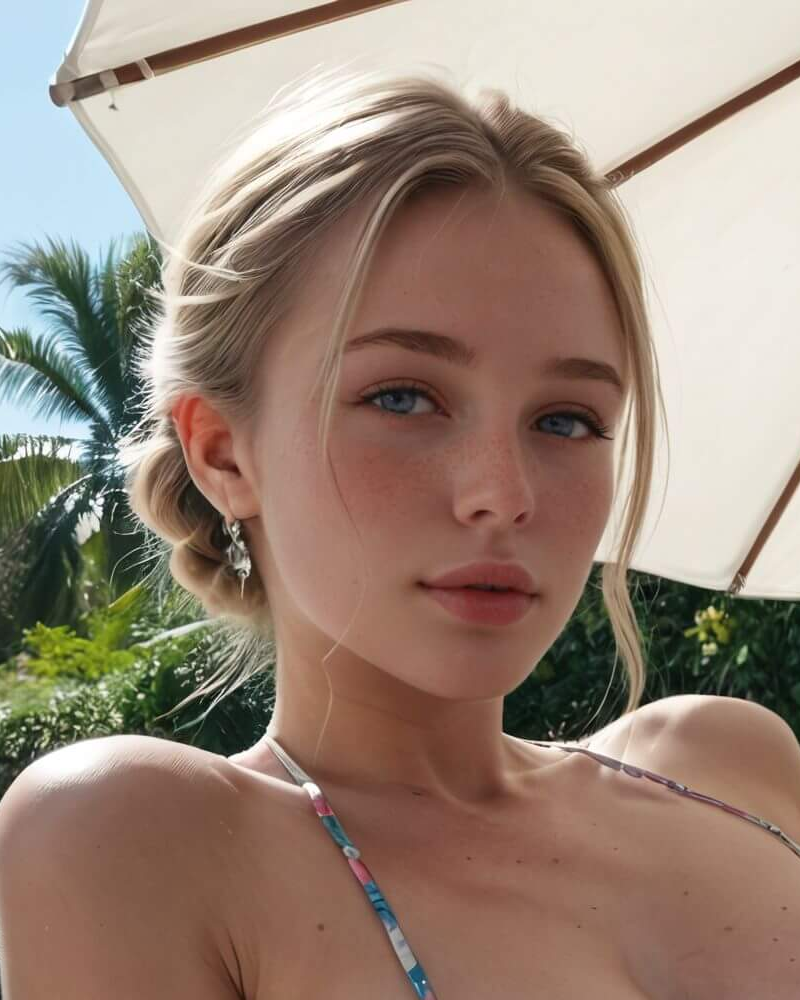
Fictional ChatUp character. Blonde character pictured outdoors beneath a sun umbrella.
Create your ownThe short decision guide
ChatUp AI presents several starting points: character conversation, original character design, still images, short videos, and task-specific writing assistants. Choose by what you want to leave with. A scene idea belongs in chat or a story assistant; a framed visual belongs in the image tool; motion requires a video route. This task-first approach avoids selecting a paid plan before knowing which allowance matters.
For a first exploration, prepare one small brief with a clear finish: three story clues, one portrait concept, or one email draft. Keep all fictional people adults and the scenario non-explicit. That describes your intended use, not a guarantee that the wider source catalog is suitable for work.
A conversation needs a premise and tone; an image needs composition; a clip needs an action that fits its duration. Write those decisions down before opening the relevant panel. When revising a request, change one major variable at a time so you can understand what you asked for differently. No particular result is promised by this preparation.
Visible controls establish what the interface presents, not whether generation succeeds. Likewise, examples labeled as AI-made are not independent benchmarks. Treat style names, quality preferences, resolution selectors, and memory labels as things to investigate, rather than substitutes for reviewing an actual result under your own account conditions.
Match the intended task to its specific allowance, then confirm availability, credit consumption, duration of access, and billing terms together. An image allowance cannot establish video availability, and unlimited messages cannot establish unlimited media. Where the tool, pricing table, and terms disagree, ask the provider to resolve the exact feature you need before purchasing.
Keep a record of the offer and the final checkout terms. Review activation and refund instructions before spending credits, since usage can affect eligibility. Public pages are useful for planning, but they cannot settle an individual transaction. This guide reports controls and published claims; it does not include a purchase or generation trial.
Adults exploring fictional storytelling or visual concepts may find the range relevant. People needing confidential processing, predictable production output, or verified business integrations should first resolve the outstanding access and policy questions. Choose according to the task and the information you are comfortable providing, not an assumed backend model or a sweeping promise of free access.
For practical writing, provide only the facts needed for the draft and replace private identifiers with neutral labels. For entertainment, distinguish invented characters from real people and avoid treating their responses as expert guidance. If the output will be published, reserve time for human editing and rights checks.
An independent adult guide · 18+
For readers in Ghana, start with a fictional character, plan an image, or outline a short clip. Find the controls that matter—and the access questions to resolve before spending credits.
Public interfaces observed October 27, 2026 · No chat, purchase or generation trial
Create your own01 / Character notebook
Explore fictional adult characters as starting points for a story. Read the scenario as well as the portrait, then use the task guides below to plan your next step.
These are ChatUp characters. Commercial links explore OurDream, a different service.
15 profiles
realistic · fictional adult
Fictional ChatUp character. Blonde character pictured outdoors beneath a sun umbrella.
Create your own
realistic · fictional adult
Fictional ChatUp character. Dark-haired character shown over one shoulder in a close portrait.
Create your own
realistic · fictional adult
Fictional ChatUp character. Character in cabin-crew styling with a dark hat and neck scarf.
Create your own
realistic · fictional adult
Fictional ChatUp character. Red-haired character depicted in a coastal setting.
Create your own
realistic · fictional adult
Fictional ChatUp character. Dark-haired character wearing a white ruffled headpiece.
Create your own
realistic · fictional adult
Fictional ChatUp character. Dark-haired character wearing a white shirt and a black choker.
Create your own
realistic · fictional adult
Fictional ChatUp character. Character in a light sleeveless top, with arms raised behind her head.
Create your own
realistic · fictional adult
Fictional ChatUp character. Smiling blonde character with a dark costume headband.
Create your own
realistic · fictional adult
Fictional ChatUp character. Dark-haired character in a pale green shirt against a pink background.
Create your own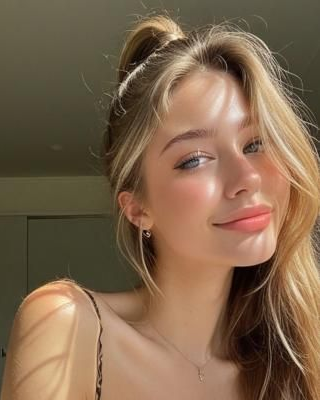
realistic · fictional adult
Fictional ChatUp character. Blonde character in a softly lit indoor close-up.
Create your own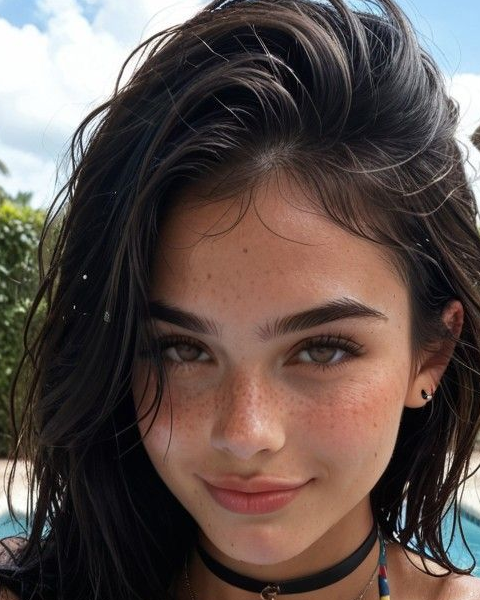
realistic · fictional adult
Fictional ChatUp character. Dark-haired character with windswept hair in an outdoor close-up.
Create your own
illustrated · fictional adult
Fictional ChatUp character. Red-haired illustrated character in a green collared shirt.
Create your own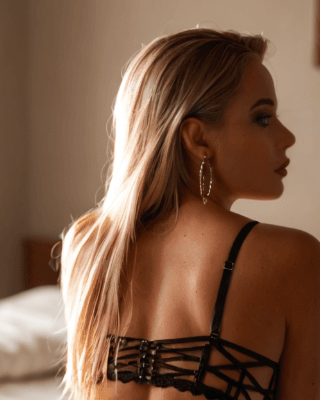
realistic · fictional adult
Fictional ChatUp character. Blonde character shown in profile with a dark strappy outfit.
Create your own
realistic · fictional adult
Fictional ChatUp character. Red-haired character in a red outfit, shown in warm indoor lighting.
Create your own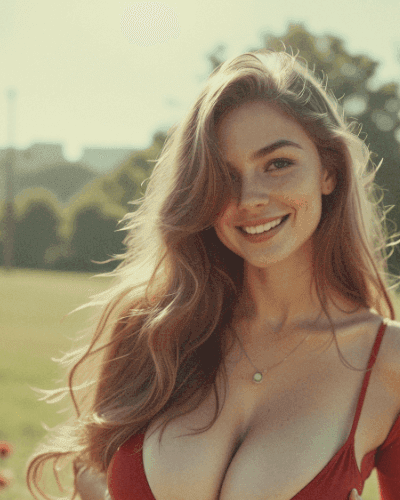
realistic · fictional adult
Fictional ChatUp character. Smiling brown-haired character in a red outfit outdoors.
Create your ownTask guide / 01
Choose a character by the interaction you want, not just appearance. A fictional colleague suits an office mystery; a musician suggests a rehearsal conversation. Read the biography and opening situation, check that the character is clearly an adult, and decide what role you will play. ChatUp markets character conversations and roleplay, but an attractive profile is not evidence of thoughtful responses.
Use a short opening that gives the conversation something specific to do: ‘We are two adult writers planning a detective story. Suggest three clues, and let me choose the first location.’ Keep the setting, tone, and immediate goal separate. This is a suggested prompt, not a conversation result. For conversation setup, look for Persona and Settings and inspect their current options rather than assuming every character has identical customization.
The home page claims multilingual conversation. State your preferred language and ask for a brief response before developing a longer scene; translation accuracy and consistent characterization are not guaranteed. It also advertises character photos inside chats, while paid plans list Chat Photo allowances. Treat those as advertised features, not demonstrated media delivery. Neither long-term memory nor completed chat exchanges were independently tested.
If a story becomes inconsistent, restate the few details that matter: who is present, what has happened, and what should happen next. This is ordinary prompt preparation, not a confirmed memory-reset feature. Keep your own short story notes rather than depending on an advertised memory allowance to preserve the plot.
Sources: ChatUp home · price
Task guide / 02
Character creation is the route for an original persona rather than an existing catalog entry. Prepare a fictional adult's appearance, clothing, temperament, and story purpose first. ChatUp's public guide describes six stages, summarized below; these are the publisher's instructions, not six independently completed screens.
The observed Create My AI interface instead displays eight numbered progress indicators. Only its first screen was directly checked: Choose Gender & Style, Realistic and Anime options, plus Upload and Generate. The six-stage guide therefore should not be treated as an exact map of the current wizard. Later fields, saving, and successful character publication remain unverified. Upload availability also conflicts with the terms discussed below.
Sources: create-ai-character · terms-of-service
Task guide / 03

The prompt field asks for a description and explicitly prohibits content involving minors. Inspiration sits beside Generate, which displays a credit indicator of 2 in this captured state. Describe an adult fictional subject, clothing, setting and lighting clearly, then inspect the applicable settings and balance. This screenshot shows an empty form, not a generated result or a universal price.
Open full-size imageFor a still image, describe the subject, environment, lighting, and composition before selecting a style. A useful non-explicit example is ‘Fictional adult explorer wearing a buttoned wool coat, harbor at dawn, soft side lighting, waist-up portrait.’ Realistic, Anime, Art, and Painting appear among the observed style labels. A style choice guides the request; it does not guarantee a particular rendering technique or quality.
The image panel provides Fast and High Quality preferences, aspect ratios of 1:1, 9:6, and 6:9, and batches of 1, 2, or 4. Choose a square for a balanced tile, a wide frame for a scene, or a vertical frame for a portrait. Start with one image when assessing a new prompt so an unwanted direction does not multiply across a batch. Speed and quality labels are not measured performance results.
Remix, Inspiration, and My images appear alongside Generate. Use them as navigation cues for revisiting examples or locating work, without assuming edits or saved images will persist anonymously. The panel also shows a credit counter, Buy, and Sign In. Check the charge for the selected settings before generation; the page's free, no-signup language does not establish unrestricted access to those controls.
Sources: ai-image-generator-free
Task guide / 04
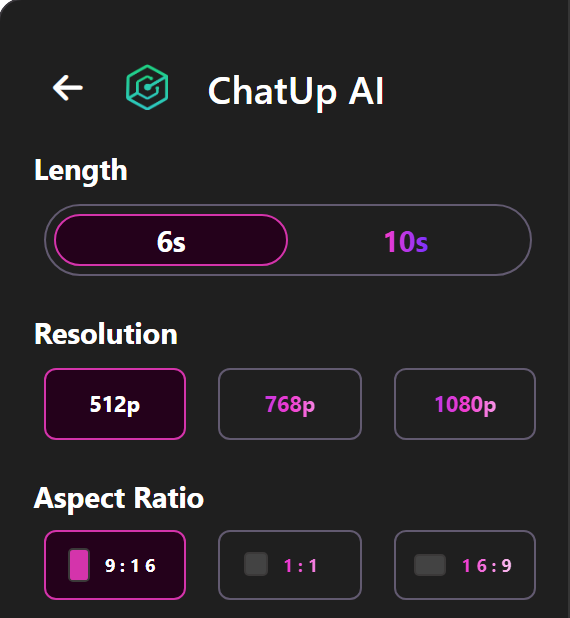
The text-to-video interface offers 6s or 10s, 512p, 768p or 1080p, and portrait, square or landscape framing. Choose a format that fits your intended use before writing a prompt. These are visible controls, not tested output specifications; the pricing table lists different resolution limits by plan. No video was generated.
Open full-size imageText-to-video starts from a written scene rather than a supplied picture. Keep the action small enough for a short clip: ‘A fictional adult traveler in a raincoat waits on a quiet station platform; the coat moves gently in the breeze; the camera stays still.’ A single movement makes the intended result easier to describe than a sequence of cuts, locations, and characters.
The observed panel offers 6s or 10s, resolution labels of 512p, 768p, or 1080p, and ratios of 9:16, 1:1, or 16:9. Enter the prompt, choose the frame appropriate to its destination, and review access before using Generate. These are visible choices, not proof that every account can produce every combination. No clip was generated for this guide.
There are two important mismatches to resolve first. Pricing cards use 480p, 720p, and 1080p limits, not the same lower-resolution labels as the generator. The comparison table also calls Video Generation ‘Coming Soon’ despite video quotas and active-looking controls elsewhere. Ask which output specification and video access your intended plan actually includes rather than relying on the highest displayed setting.
Sources: text-to-video · price
Task guide / 05
Image-to-video is presented as an animation route for an existing picture. Its panel includes Use My AI Image and Animate, with 6s and 10s durations, resolution choices, and an Audio switch marked PRO. For an authorized fictional adult portrait, a restrained motion brief might ask for a coat hem moving in a breeze while the camera remains steady. The audio hint recommends describing desired sound at the end of the prompt; the PRO label does not prove audio availability for your account.
Do not upload personal photographs merely because an upload-related control is visible. The terms, last updated February 2025, say user-uploaded functions, image-to-video, and face swap were removed. That directly conflicts with the current presentation. Obtain clarification before relying on this route or paying specifically for it; a visible Animate button does not resolve the policy discrepancy.
The public image guide describes saving and downloading, and the text-video guide describes previewing, downloading, and sharing. Those are publisher-described export steps, not verified downloads. Before distributing a result, check its actual resolution, visible defects, applicable usage rights, and whether sharing exposes content publicly. No export format, watermark outcome, or private-gallery persistence is confirmed here.
Sources: free-ai-video-generator · text-to-video · ai-image-generator-free · terms-of-service
Task guide / 06
The public tools catalog extends beyond companion chat. Creative entries include story, poem, lyrics, rap, script, and novel generators. Professional options include email and subject-line generators, resumes, cover letters, copywriting, and paraphrasing. Choose the output first, then provide its audience, length, tone, and essential facts. For an email, supply the decision needed and deadline rather than asking for something vaguely professional.
Grammar checking and translation address revision; name, business-name, domain-name, and acronym tools address naming. Blog titles, SEO-oriented content writing, advertising copy, Facebook posts, and Instagram captions address publishing. These are catalog descriptions, not proof of better search rankings, brand availability, or accurate translation. Review names for existing rights and verify every factual statement before publication.
Research and Support promotes answers to FAQs, troubleshooting, and guides; AI Data Analytics is also listed. Treat these as assistance categories, not verified integrations with your files or business systems. The paid feature comparison separately advertises image recognition, document analysis, and web-link analysis, without a demonstrated workflow here. Do not assume a linked page has been retrieved or a spreadsheet analyzed. Request an explanation of inputs and reasoning, then independently check the result before acting on it.
Task guide / 07
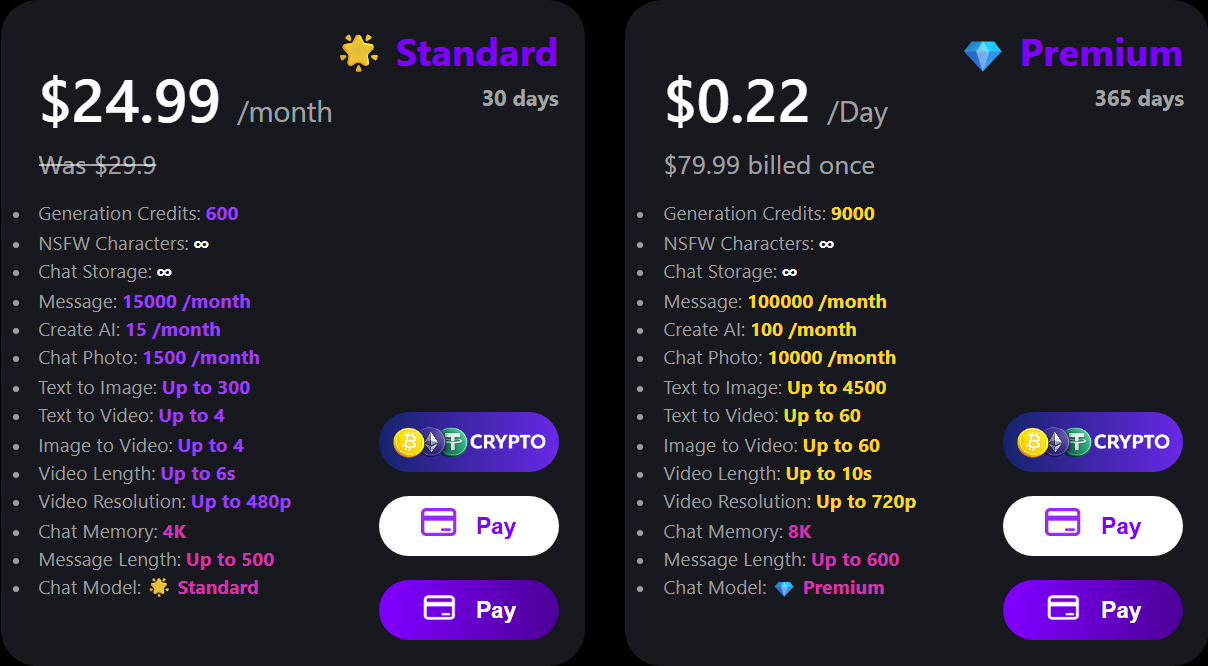
Standard is shown as 30 days at $24.99 per month with 600 generation credits; Premium displays 365 days, $79.99 billed once and 9,000 credits. The same cards list separate chat, character and media allowances. These are dated advertised figures, not a checkout quote. Confirm the final charge, renewal rules and available features before paying; the source gives conflicting billing descriptions.
Open full-size imageOn October 27, 2026, the recorded pricing page listed Standard, Premium, Deluxe, and Ultimate. Standard showed 30 days and $24.99 per month; the other cards listed 365 days with $79.99, $149.99, and $199.99 billed once, respectively. The accompanying screenshot covers Standard and Premium only; the other tiers come from the page's extracted text. These are dated advertised figures, not checkout quotations or confirmed payment terms.
Compare the allowance relevant to your task. Standard and Premium showed message caps, while Deluxe and Ultimate labeled messages unlimited. Generation credits remained finite across all four cards. Character creation, chat photos, images, and video had separate entries, so unlimited messaging should not be read as unlimited visual generation. Check whether credits reset or expire and whether retries consume them.
Chat Memory was labeled 4K, 8K, 16K, and 32K across the tiers, alongside different message-length limits. These are plan claims, not independent tests of recall or coherent long conversations. More advertised memory does not establish that a character will reliably remember personal details. The pricing panel says ‘One-time Payment’ and ‘No recurring payments,’ but the terms specify recurring payments unless otherwise stated, and the pricing page's FAQ discusses renewal. Confirm the final charge, duration, and renewal condition at checkout before authorizing payment.
Sources: price · terms-of-service
Task guide / 08
The browser tools can be inspected on the web, but inspection is not the same as entitlement to generate. Free, unlimited, and no-login claims coexist with Sign In, Buy, credits, and plan ceilings. Determine the requirement for your particular task before supplying account information. Android and iOS are listed in the footer; their installation, availability, and feature parity were not investigated.
For paid access problems, the Subscribe & Refund Policy page provides an activation form and the support address chatup@aichattings.com. It says an incorrect login email can cause activation problems. Keep the purchase receipt and account email consistent, and use the official support page rather than sending payment details through unrelated contacts.
The refund wording needs careful attention: it states a three-day eligibility window, usage exclusions, and elsewhere a refusal beyond 30 days. It also discusses cancellation despite calling certain plans one-time charges. Do not interpret the longer reference as a guaranteed refund window. Read the current conditions and obtain clarification before purchase. The stated usage exclusions include more than 10 combined generations or credits for AI Chat, Image Generator, or Chat Photo, and more than two generations for character creation or video. These are policy thresholds, not a promise that a smaller amount of use automatically qualifies for reimbursement. Separately, Submit sells website listings and advertising; it is not the assistant catalog or a required step for creating a character.
Sources: ChatUp home · refund-policy · submit · price
Task guide / 09
ChatUp is an adult service, even when your own prompts are non-explicit. Its terms require users to be at least 18 and restrict access in Mainland China, Hong Kong, and other listed jurisdictions or places where adult content is prohibited. Review the full regional rules. The terms prohibit harmful content, nonconsensual deepfakes, intellectual-property infringement, and attempts to bypass safeguards; broad marketing language does not remove those restrictions.
The privacy policy is written primarily for a mobile app. It describes processing user inputs and generated content, contact information, device details, cookies, and analytics, and names OpenAI as a content-processing provider. This does not verify a particular model behind the web tools. Nor does the home page's absolute-privacy language establish anonymity or confidentiality. Avoid confidential work documents, identifying details, and sensitive personal disclosures.
The same policy describes facial-image collection for face swapping and avatars, despite the terms saying uploads and face swap were removed. Ask which policy applies before providing any face image. The terms say users retain generated-content ownership while granting a limited license for public content; that does not clear third-party rights. Keep original creative inputs and review rights before sharing.
Sources: privacy-policy · terms-of-service · ChatUp home